10 April 2006

Ariel Motor Car

What happens when you remove everything from a car that doesn't contribute to driving performance? You produce my new dream car. Thanks to Brammo Motorsports and Ariel Motor Company for reminding me what can be done with just 7 employees focused like a laser on a single goal: driving performance. What did they name it? The Atom. What a great name. Check it out. Link

06 April 2006

Best Boot Camp Posts

Of all the blog posts on Boot Camp these two are must reads: 1. Cabel Sasser co-founder of Panic 2. John Gruber at Daring Fireball Together they pretty much sum it all up.

05 April 2006

Boot Camp Partitioning

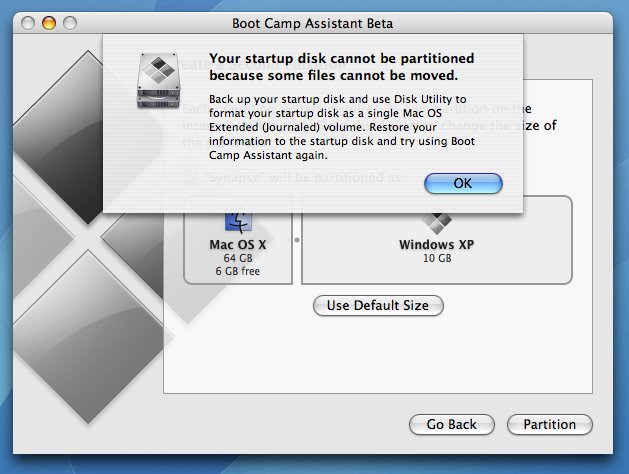
So Apple's Boot Camp Assistant beta software announced today allows any Intel based Mac dual boot with Windows XP SP2. Very cool. They've even announced that this capability will be a part of Mac OS X 10.5 Leopard. Some things to note: 1. If you already have multiple drive partitions, the Boot Camp Assistant will fail. It requires a single Mac OS X Extended (Journaled) partition. 2. You may have to wipe your drive. I have 15 GB free on my MacBook, but when the dynamic partitioner tried to clear 10 GB for use as the Windows boot volume I get this error: I guess I'll just have to wait until I can wipe my machine. I thought this might have been because my iDisk was mounted, but that wasn't it. I'm guessing the partitioner needs contiguous drive space and while I might have had 15 GB free, it wasn't free in the correct locations. Bummer.

04 April 2006

Got Feedback for MacBU?

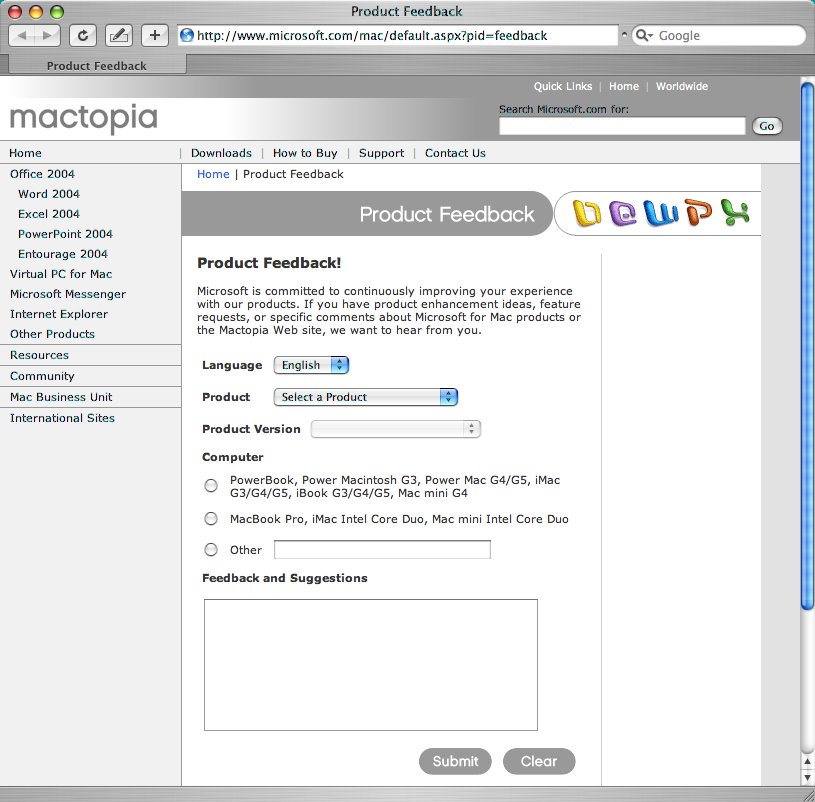
We've just released a new feedback tool on our web site that allows customers to provide direct feedback our team. You can select "Send Feedback" from the "Help" menu in any of our applications or directly visit the MacBU feedback form located at http://www.microsoft.com/mac/default.aspx?pid=feedback Everything is anonymous, just select your application, version and language and send it our way. It's immediately posted for all the team to see internally. I like the new design, more with less. Enjoy, and let us know what you think!

03 April 2006

Job Interviews

Nadyne Mielke writes a good summary about what it's like to interview for a position at MacBU. It got me thinking about my first interview at Microsoft and I hope you'll forgive this nostalgic post, but I thought it might be interesting for those of you who can't connect the dots backwards just yet. Okay, that last sentence made me sound a lot older than I am... I had just graduated from Redmond High School and was working as a foreman for a small landscape company. I loved that job, lots of work outside, hard labor, visibly making the world better, but it just wasn't putting enough in the bank. My parents knew Mike Murray, who worked at Microsoft at the time, and suggested I contact him about getting an interview. I nervously worked up an email from my eWorld account on my Mac IIci and sent him the request. He very graciously recommended me for a position maintaining servers in the Microsoft Library group. The interview day came and I remember it vividly. The first interview was fine, then the next interview she asked about my experience with Windows NT and how I would feel working on that OS. I remember telling her that while I felt certain I could learn Windows NT, I didn't really want to spend my time working on such and inferior OS. I think I came off a bit too "Mac" because the interview abruptly concluded. ;-) In retrospect I look back on that day and see so much more going on. Very few people really "got it" when it came to the internet and the web. Remember, this was at the time leading up to the Windows 95 launch. Prevailing wisdom in my neck of the woods was that the MSN icon on the Windows desktop was going to "take over" the internet... Oh the perspective! As I look back on it, I believe Mike was trying to place me in a high growth area, and as far as I could tell at that time, the only place doing any serious sort of web development at Microsoft was the MS Library. Back to landscape work I went, but word got around that I had interviewed and when a the Office team was looking for a tester to write VB automation another good friend of mine, Fred Kesler (ex-WordPerfect employee, new Microsoft hire), asked if I was interested. I applied, but my knowledge of Apple's Human Interface Guidelines, HyperTalk and AppleScript just weren't the skills they were after. :) I remember when Grant George, the hiring manager called me into his office and said, "You didn't get the job, we were looking for better VB skills, but you did really good with the interviews. I'm going to send your resume on to a friend of mine, I think he might have just the spot for you." I thanked him. The next day I came home from work and my Dad said, "I got the most interesting call from Microsoft today. Here's his number. He wants to meet with you right away. He's seen your resume and wants to hire you, but wants to meet with you first, to make sure you're not weird!" I still don't know what he meant by that, but I guess I passed, because I got the job. My manager had just been hired from Apple's QuickTime team and now at Microsoft, he spent a considerable amount of time trying to convince folks that Microsoft needed a separate Mac only development team. Eventually the Macintosh Business Unit was created and my manager moved to the new MacBU and I moved with him. As I look back at this whole cascade of events that largely got me where I am today, I'm so thankful that my youthful fear and trepidation didn't get the best of me while I worked on that first email to Mike. Additionally, it's so very apparent all the good people whose position and influence could have easily pushed me outside of their priority queue, but they took the time and for me, it made all the difference. P.S. Mike Murray was the VP of HR at the time, though I don't really think I understood what that meant back then. He is now working in the micro-finance industry at Unitus something that I'll probably write about later on. He had worked at Apple prior to being hired at Microsoft. Mike had in his garage the actual sledge hammer used in the 1984 commercial! After Steve Jobs returned to Apple, Mike gave the sledge hammer back to Steve.

31 March 2006

Blog Feed Change

I'm moving my blog feed to FeedBurner because if I include media, folks can subscribe to this blog with iTunes as a podcast and get the video or audio downloaded automatically. Also I get ego enhancing stats about how many folks are subscribed to my blog. :) The new feed address is http://feeds.feedburner.com/davidweiss Please point your news readers to this address. If you want to have the media I'll post automatically downloaded to iTunes, subscribe to this feed address using the "Subscribe to Podcast..." menu item "Advanced" menu in iTunes.

30 March 2006

Mac Office Resource Kit

When we released Office 2004 we also posted some documentation for system admins who deploy Mac Office to a large install base. We call these kind of documents "Resource Kits" and the current Office 2004 resource kit is located here. I was personally involved in the creation of this document, and now we're looking into updating the Office 2004 resource kit docs with more information. We think we've got a good idea about the challenges and solutions involved, but if you have any feedback and or questions that fit into the domain of "large deployments of Mac Office" then please, leave a comment, or contact me via email.

29 March 2006

RAM and Rosetta

Here's a bit of advice from someone who's been spending a lot of time working in Rosetta the last few days: Buy as much RAM as your MacTel can handle. It makes a huge difference. I've got 2 GB in my MacBook Pro now and compared to the 512 MB that came stock, it's like a whole new machine. If you're wondering why RAM would make such a difference, I think it's important to remember how Rosetta works:

When an application launches on an Intel-based Macintosh computer, the kernel detects whether the application has a native binary. If the binary is not native, the kernel launches the binary using Rosetta. If the application is one of those that can be translated, it launches and runs, although not as fast as it would as a native binary. Behind the scenes, Rosetta translates and executes the PowerPC binary code. Rosetta runs in the same thread of control as the application. When Rosetta starts an application, it translates a block of application code and executes that block. As Rosetta encounters a call to a routine that it has not yet translated, it translates the needed routine and continues the execution. The result is a smooth and continual transitioning between translation and execution. In essence, Rosetta and your application work together in a kind of symbiotic relationship. Rosetta optimizes translated code to deliver the best possible performance on the nonnative architecture. It uses a large translation buffer, and it caches code for reuse. Code that gets reused repeatedly in your application benefits the most because it needs to be translated only once. The system uses the cached translation, which is faster than translating the code again.
With more RAM, there's more room for cached translated code, which means faster execution.

24 March 2006

Happy Birthday, Mac OS X

5 years old and it's been a great 5 years. The future sure does look bright! To sum up my feelings about Mac OS X, I'll say what I've always said, "Get a Mac. It just works."

23 March 2006

Reasons for EFI

So with Apple's new Intel based Macs, they no longer use the Open Firmware BIOS. Since that announcement in January, I've often wondered why Apple chose EFI. Yesterday in a MacEnterprise.org webcast "Demystifying the Transition" Apple shared these two slides:

  • Larger ROMs: This makes sense, more features, more space needed. Okay at a high level I can understand that.
  • Richer graphics: Sure, I like not looking at some black screen with white text on boot. Check.
  • Dynamic boot volume picker: Okay, I do not know what this is. Any ideas?
  • Faster start-up time: This is always good. And I've already noticed how fast my MacBook boots and comes out of sleep.
  • Apple Remote for controlling boot options: Again, what could this possibly mean? Why would I want to use my Apple remote to control boot options? I know you can use the remote to bring your computer out of sleep, which would make a lot of sense if you have you Mac setup as your PVR. Still, it's not exactly a boot option. Hmmm. Any ideas what this might be?
  • NetBoot support for using BSDP: Sure, NetBoot is a very cool Mac feature and making sure EFI can suport this scenario is important. (From the webcast it sounded like Apple did make some modifications to make EFI work with BSDP.) All in all, EFI looks to be a Good Thing indeed.

  • 22 March 2006

    Apple an OpenXML Developer

    OpenXML Developer launched today and guess who's on the list? Apple. If you're wondering what the OpenXML Community is all about here's the Mission Statement from the website:

    Mission Statement The Open XML Formats Developer Group is being formed as a community for developers to exchange information with each other regarding the usage of the Ecma-developed Office Open XML file formats. The community will serve as a technical resource for Open XML developers to submit and answer technical questions and to share tools and ideas around Open XML Formats-based solutions. The Open XML Formats Developer Group is open to anyone free of charge to enable broad participation and development of solutions using the Open XML Formats on any platform. The Open XML Formats Developer Group will support the wide adoption of the specifications being created by Ecma Technical Committee 45. More information is available at www.OpenXmlDeveloper.org.
    It sure would be cool if the next version of iWork supported in some way the Office Open XML file formats.

    16 March 2006

    Microsoft's First Universal Binary!

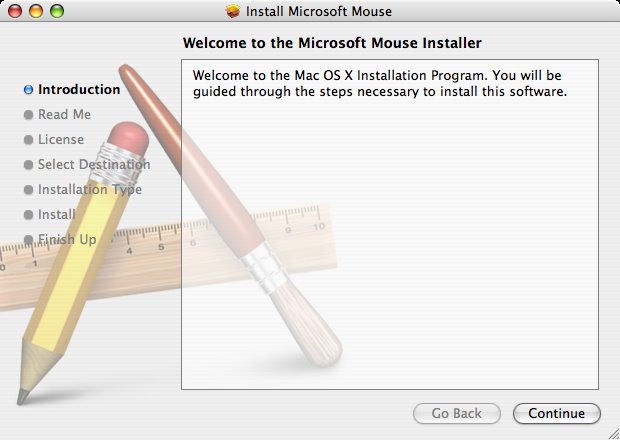
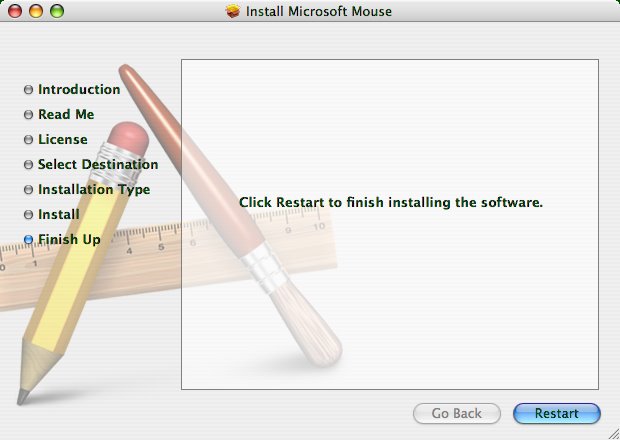
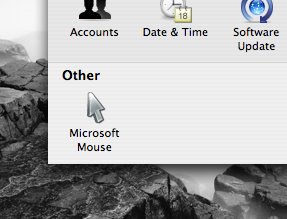
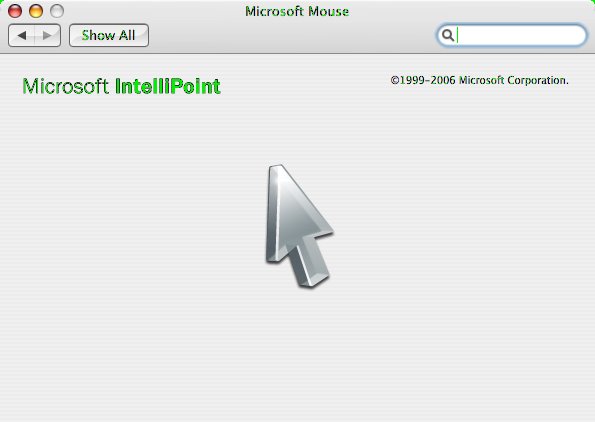
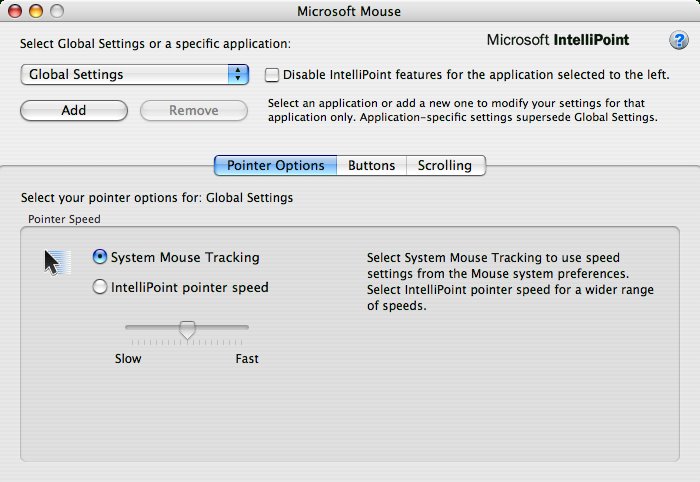
    But, alas, it's not from MacBU... A few days ago the Microsoft Mouse software turned 6.0. The drivers may be downloaded here under the laconic name of IntelliPoint 6.0 Mouse Software for Mac OS 10.2.x to 10.4 (excluding 10.0 and 10.1) My first reaction: Way to go for using Apple's installer! Looks great! But then, why do we need to restart to use the driver? What ever, let's try it out... After the restart, sure enough there's a beautiful Microsoft Mouse perference pane. Cool. Let's click and see what you can do with it... Well, looking at the pref pane, not very much really. Another application boots allowing you to configure all the cool features available with Microsoft mouse, but in another app? Is this normal for Mac OS X drivers? Admittedly, I don't install drivers on my Mac very often. Things just work normally with the drivers that come with the OS. The main window of the Microsoft Mouse driver app allows you to configure a whole bunch of settings, even per app settings. Then there's this non-standard help button... and this Microsoft Mouse application installed in my Applications folder. But as you can see, it's a Universal Binary and running just fine on my MacBook Pro. My conclusion: It's great to see the hardware team jumping so quickly and making the drivers work on the new Intel based Macs. I love the product and the installer. I'm still a little disapointed that things are not as Mac like as I'd hope, but the functionality is there. It's just the Mac style that's not quite finished.

    14 March 2006

    ARD in Rosetta, less than functional

    If you use Apple Remote Desktop as much as I do and you've just got a new MacBook Pro, and you are working from home, well then, this doesn't help the situation.

    IM Build Status

    Here's a clever idea. Apple just posted an ad/white paper on their dev website about how QuickBooks Pro was converted from a Carbon application to a half Carbon/half Cocoa application. Congrats to the QuickBooks devs! Here's the fun part:

    Building An Application With iChat The list of Mac-only benefits in QuickBooks for Mac goes on. Here’s a final example: have you ever considered using iChat in your build process? Probably not. But the team creating QuickBooks for Mac did, and they’ve found it to be a useful tool. Here’s what they do. The build server is on the iChat buddy list for the team. An AppleScript process on the server checks for incoming iChat messages. When someone on the team sends a message (any message - “Hey there!”), the server automatically starts the build. The server then uses iChat status messages to reflect the status of the build—in process, complete, and so on. The team can easily keep track of what’s going wherever they are—in a meeting, in a cubicle, or in the Intuit cafeteria.
    Using IM to communicate group wide build robot status. Now why didn't I think of that? Maybe there is a place for a scriptable IM client...

    Office 11.2.3 Update

    I haven't been this excited about an update for some time. Here's the best of what's new: Sync Services integration! - You can now sync Entourage 2004 calendar events, contacts and tasks with handheld devices (iPod and cell phones) and any other applications that support Mac OS Sync Services. Spotlight support for Entourage 2004- Now you can use spotlight to search your Entourage mail messages, events, contacts, notes and tasks! Smart card support for Entourage - Using Apple's Keychain technology, Entourage will allow customers to use their smart cards to digitally sign and encrypt mail. Government and military customers may now rejoice! We also have a new version of Mac Messenger, version 5.1, which has better Live Communications Server support. Update: Here's a link to the update since it looks like it hasn't dropped from Microsoft AutoUpdate yet.

    06 March 2006

    Thinking Differently

    I've been thinking about this post for a while now, but after watching this video of MacWorld Boston 1997 keynote, it just brought it all back to me. Remember that this was the MacWorld that Apple announced the 5 year agreement with Microsoft for, to quote the slides: 1. Patent Cross License 2. Microsoft Office on the Macintosh 3. Internet Explorer Browser as the default browser 4. Java Collaboration 5. $150 Million investment Stop now and watch the whole thing. Seriously. Especially the end, but you can't fully appreciate the end if you don't what the whole thing. After all the negative emotion from the crowd during the announcement you'd think a normal presenter would be just floored, done, finished. But Jobs was able to get truly genuine to the core the last few minutes and speak to the heart of what makes Mac users, well, Mac users. I personally loved it, it resonated with me, but from perhaps a different perspective than most. I think it's pretty easy to throw pot shots at a big mega successful company like Microsoft and I understand that. I've got to interact with the Microsoft haters many times over the years at our MacWorld booths, though it has diminished quite a bit. What I don't think folks always get is that if you're working in the Macintosh Business Unit at Microsoft, you choose to be there in a very tangible way. This is not to say that others are forced to work elsewhere at Microsoft, nor that every member of the team bleeds six colors. There's no one forcing you to work on the Mac and in fact, there a lot of other exciting places to work at Microsoft, but only one place where you work on Mac software exclusively. The people who work on the Mac software at Microsoft have made a very explicit choice to work on the Mac at Microsoft. If they were here to check off a box on their corporate career path then why not do that at any other team at Microsoft? I think that's why I enjoy working here so much. For someone to do the crazy thing, and work on Mac software at Microsoft, when there are so many reasons to work on the Windows products, there's got to be something different going on. And there is. And I love it.

    On Battery Conditioning

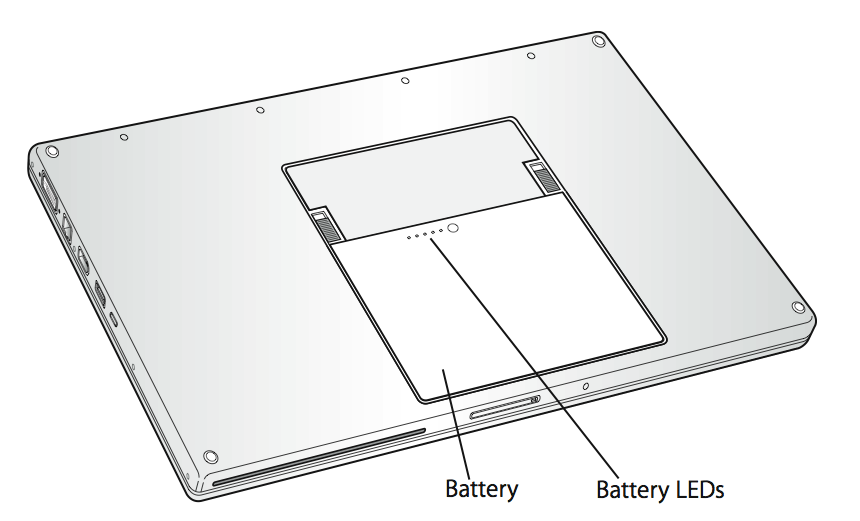
    So after finding this gem in the MacBook Pro User's Guide, I've decided to read it and see what else I could find. So on page 24 I find this:

    Calibrating Your Battery To get the longest running time from your battery, calibrate it sometime during the first week you have your MacBook Pro and repeat these steps occasionally to keep your battery functioning at its fullest capacity. To calibrate your battery: 1 Plug in the power adapter and fully charge your MacBook Pro battery until the light on the power adapter plug changes to green and the Battery icon in the menu bar indicates that the battery is fully charged. 2 Allow the battery to rest in the fully charged state for two hours or longer. You may use your computer during this time as long as the adapter is plugged in. 3 Disconnect the power adapter with the MacBook Pro on and start running it from the battery. You may use your computer during this time. When your battery gets low, you will see the low battery warning dialog on the screen. 4 Continue to keep your computer turned on until it goes to sleep. Save your work and close all applications when the battery gets low and before the system goes to sleep. 5 Turn off the computer or allow it to sleep for five hours or longer. 6 Connect the power adapter and leave it connected until the battery is fully charged again. Important: Repeat the calibration process occasionally to keep your battery fully functioning. If you use your MacBook Pro infrequently, it’s best to recalibrate the battery at least once a month. If you purchased additional batteries, follow the calibration procedure with those batteries as well.
    Is it just me, or is this just a totally new recommendation for getting the, "longest running time from your battery"? Update: After a little more recon and talking to some friends and some tidbits from the Apple Genius Bar, it looks like this "conditioning" exercise is all about allowing the chip in the battery to better predict the its capacity so that the battery status menu can accurately predict how much longer you have to work. Still, the text "To get the longest running time from your battery, calibrate it sometime during the first week you have your MacBook Pro" (emphasis mine) is mighty presuasive. How could that text make it into the guide if all this is about accurate user feedback about battery status? Update 2: Now I'm totally confused. On page 80 appoint points the reader to this URL http://www.apple.com/batteries/notebooks.html from which I quote the following:
    Standard Maintenance For proper maintenance of a lithium-based battery, it’s important to keep the electrons in it moving occasionally. Apple does not recommend leaving your portable plugged in all the time. An ideal use would be a commuter who uses her iBook on the train, then plugs it in at the office to charge. This keeps the battery juices flowing. If on the other hand, you use a desktop computer at work, and save a notebook for infrequent travel, Apple recommends charging and discharging its battery at least once per month. Need a reminder? Add an event to your desktop’s iCal.
    So now I need to discharge once a month as well as recondition every few months. Obviously I've been far too simple minded in how I use my laptop. I simply plugged it in when there was power available, and didn't when there wasn't. At least they've given me and iCal reminder...

    01 March 2006

    The Unpaired Remote

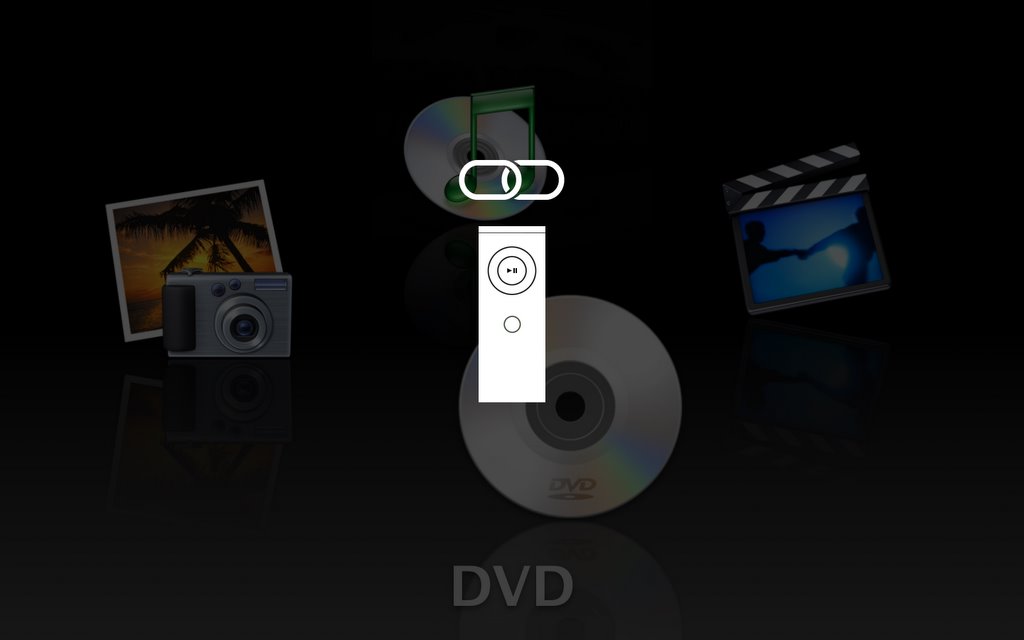
    I learned an intersting tidbit about the Apple Remote. Initially I had an Intel iMac in my office, then I got the MacBook Pro. Both come with an Apple Remote. When I took the remote and pressed menu to activate FrontRow on my MacBook Pro, both my MacBook Pro and the iMac responded. Either remote would control both machines. This looked hilarious and I wondered, did Apple miss testing this scenario? Nope, here's what's going on:  Initially any of the FrontRow capable Macs are setup to respond to ANY Apple Remote. However, each remote has an ID and you can "pair" the machine with a specific remote ID. You do this by holding down the menu and fast forward buttons on the remote for 5 seconds. What you will see on the screen is a white picture of the remote and a chain link icon to indicate that the remote is now "chained" or "linked" to that machine. Once the remote and the Mac are paired, other remotes no longer are able to control that machine. To unpair simply go to the security control panel and click the "Unpair" button. Simple and easy. How did I find this out? From a friend at work who actually reads the manuals! Here's the part from the MacBook Pro Users Guide pages 36 and 37: Pairing Your Apple Remote If you have multiple computers or other devices with built-in IR receivers in a room (for example, more than one MacBook Pro or iMac in a home office or lab), you can “pair” your Apple Remote with a specific computer or device. Pairing sets up the receiving computer or device to be controlled by a specific Apple Remote. To pair your Apple Remote with your MacBook Pro: 1 Position the Apple Remote 3 to 4 inches from the IR receiver on your MacBook Pro. 2 Press and hold the Menu and Next/Fast-forward buttons on the Apple Remote for 5 seconds. When you successfully pair your Apple Remote with your MacBook Pro, you will see a chainlink symbol onscreen. To delete a pairing between the Apple Remote and your MacBook Pro: 1 Choose Apple () > System Preferences from the menu bar. 2 Click Security and then click Unpair.

    28 February 2006

    I work at Microsoft

    Summary: I work at Microsoft. I started working here when I was 18. I grew up in Redmond, Washington. I attended Redmond elementary, Redmond Junior High and graduated from Redmond High School. It's only fitting that I should work at Microsoft. :) When people ask me what I do at Microsoft I say matter-of-factly, "I work in the Macintosh Business Unit." It's fun to see the consistently quizzical expressions on people's faces when I say that. A while back I got the hesitant response, "So, did Microsoft buy the Mac?" No, Microsoft has not "bought the Mac", but we do make some mighty fine software for the Mac OS. I am a part of the Infrastructure team. This means I'm a programmer that writes code that's used internally by most everyone else in the Business Unit. We write all our Mac tools almost exculsively with Xcode and the Cocoa APIs. It's a great place to be. It's a great time to be a Mac developer. My official title is Software Design Engineer in Test, which is a fancy way of saying a large part of my efforts are spent improving our testing efforts in the MacBU. Note: Almost no one ever says, Macintosh Business Unit, since everything at Microsoft must have a ancronym, ours is MacBU which is said, "mac boo". So that's the summary. More details to follow...

    Workwise...

    I just recently returned from a wedding. It was wonderful to see family and meet new friends and relatives. Invariably the small talk and conversation turns to questions about what I do for work. I find myself following this general pattern: Other Person: "So, where do you work?" Me: "I work at Microsoft." Other Person: "Really, what do you do there?" Me: "I work in the Macintosh Business Unit." Other Person: "You what? There's Mac stuff at Microsoft? ..." Insert 30 second history lesson about the computing industry here along with random comments about small screened Macs they used in High School or College. Other Person: "So, I've got this problem with my PC, maybe you could help..." At this point, it get to exercise one of the great blessings of my current employment: Me: "You know, that sounds complicated. I don't really know the answer for that problem, I spend all my time on the Mac and that's really where my expertise lies. Have you used a Mac or iPod lately?" Other person: "Yeah, they are so simple and just work..." Me: "Yeah, that's what I like about my job. It's great!" So, gentle reader, I've decided to focus the next few post on what I do at work. I do this because it's often difficult to explain what I do in a 30 second small talk sound bite and the next time I'm asked, well, I'll just give them my URL. :)